Hi there,
We’re pleased to introduce an important update to how you start and share your work in Scopture.
Initialize drawings directly within a structured workspace, giving your project a reliable foundation from the very first file, where every drawing you launch is organized and ready for your team to build on.
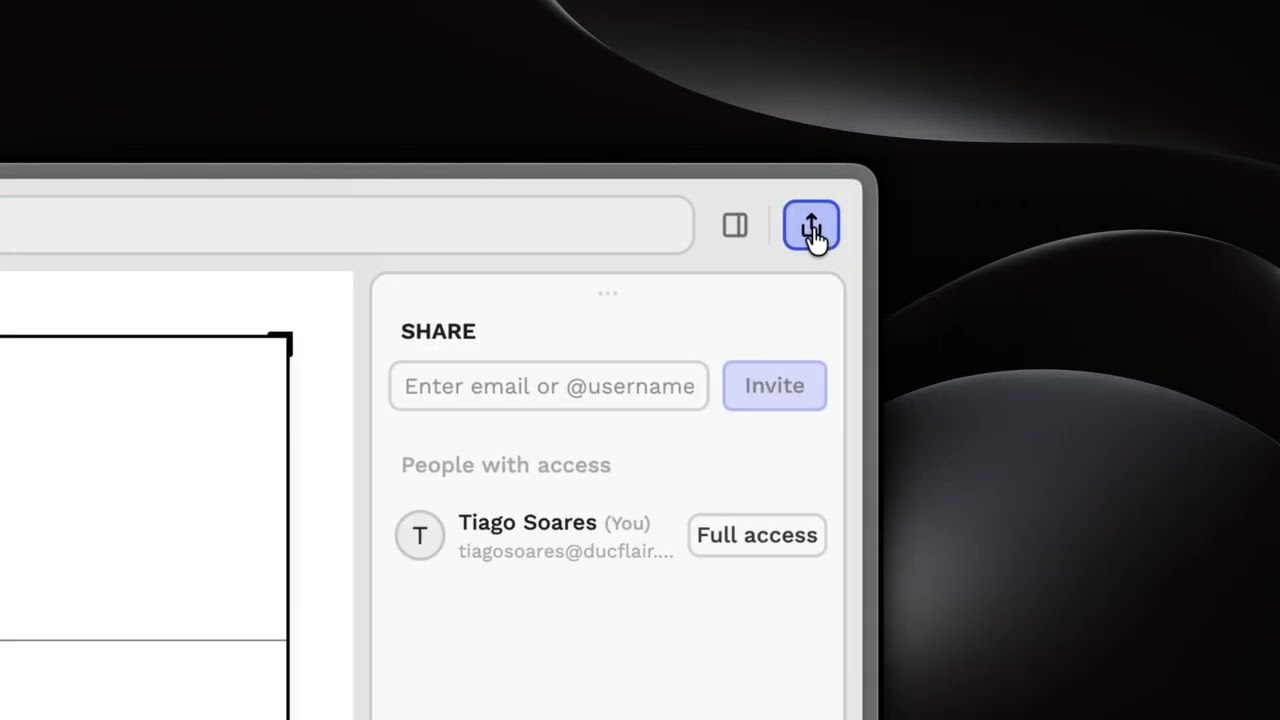
Collaboration is managed through a dedicated Share interface, where you can invite team members directly into the project environment. To keep complex technical work protected and precise, we’ve introduced granular permission levels for every invited user.
Assign each collaborator one of four access roles (Full, Edit, View, or Comment) ensuring everyone has exactly the level of access they need. No more, no less.
By establishing this foundation, your project moves from its first drawing to a complete technical record with collaboration that is as controlled and precise as the design itself.
We’ve prepared video tutorials to help you get started:
For questions or assistance, please contact our support team at site.scopture.com/support
Best regards,
The Scopture Team
