Hi there,
We’re pleased to announce updates to Scopture’s export capabilities, enabling direct CAD model export across multiple formats.
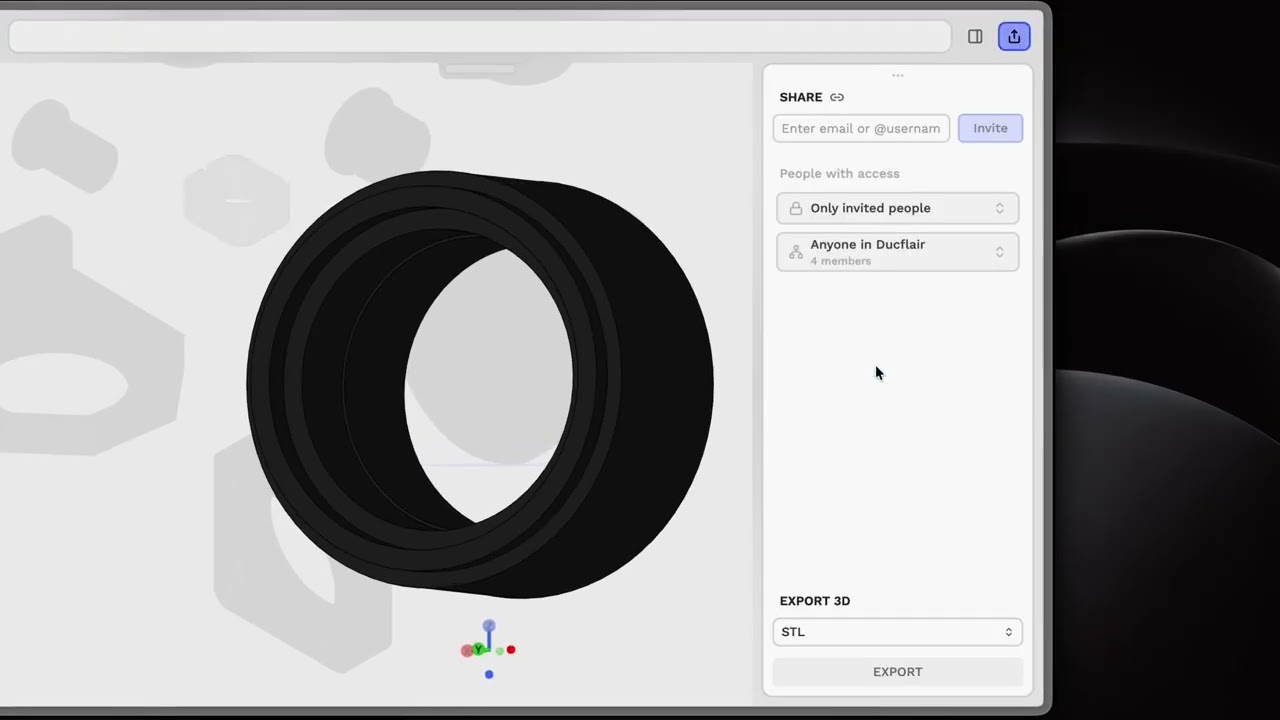
Once a model is imported and opened in 3D mode, access the Share panel to export in formats suited to your needs. Choose STEP and BREP for precise CAD geometry, STL and 3MF for fabrication and 3D printing, GLB and glTF for web viewers, DXF for editing in other CAD tools, SVG and PNG 4K for documentation, or Python for scripting and automation.
The complete file lifecycle, from import through design to final delivery, remains within your workspace, eliminating the friction of external format conversion. Whether your model is heading to fabrication, documentation, or another design tool, the right format is one click away.
We’ve prepared video tutorials to help you get started:
For questions or assistance, please contact our support team at site.scopture.com/support
Best regards,
The Scopture Team
